


A student enquiry can come from a website form, education portal, paid campaign, walk-in, referral, event, webinar, or a direct message. From there, someone needs to respond, understand the student's interest, follow up, answer questions, manage the application, and eventually move the prospect toward enrollment.
For an admissions team handling dozens, hundreds, or thousands of enquiries, that journey can quickly become difficult to manage when information is spread across spreadsheets, inboxes, forms, and separate communication tools. To handle the high incoming volume and maximize results, an admissions CRM is crucial.
This guide covers the role of an admission CRM across the student lifecycle and their key features and benefits.
What is an Admissions CRM?
Unlike generic CRM systems, an admissions CRM is built around student recruitment and enrollment processes, allowing institutions to:
- Capture inquiries from multiple sources
- Assign leads to counselors automatically
- Track every interaction with prospective students
- Manage applications and documentation
- Automate follow-ups and reminders
- Monitor admission pipeline performance
Admissions CRM vs Education CRM
The terms “education CRM” and “admissions CRM” are often used interchangeably, but they can describe slightly different scopes.
An education CRM is a broader term for CRM software used by education-focused organizations. An admissions CRM is more specifically centered on attracting, engaging, qualifying, and enrolling prospective students.
How an Admissions CRM Works Across the Student Lifecycle
The journey can be understood as:
Inquiry → Assignment → Qualification → Counseling → Application → Offer → Enrollment
1. Inquiry Capture
Leads are captured automatically from:
- Website forms
- Education portals
- Paid ads
- Walk-ins
- Referral partners
- Events and webinars
All inquiries flow into a single dashboard, eliminating scattered data.
- Automated email and WhatsApp communication
- Personalized messaging based on course interest
- Follow-up reminders for counselors
A CRM cannot guarantee that every prospect will convert, but it can make ownership and next actions more visible and reduce the risk of enquiries being forgotten or followed up too late.
3. Lead Qualification and Counseling
Before an enquiry becomes an application, admissions teams often need to understand the student's course or program interest, eligibility, location, intake, level of intent, and other relevant information.
Counselors can use the CRM to record conversations, schedule follow-ups, assign tasks, and keep the latest interaction attached to the prospective student's record.
4. Application Management
- Track application status in real time
- Collect documents digitally
- Assign tasks to admissions officers
Application stages can be customized around the institution's process, such as application received, documents pending, test or interview scheduled, review completed, or decision pending.
5. Follow-ups & Engagement
- Automated reminders for pending applications
- Interview or entrance test scheduling
- Fee communication workflows
These workflows help admissions teams keep prospective students moving through the process rather than treating every follow-up as a separate manual task.
6. Enrollment Confirmation
- Admission offer management
- Payment tracking
- Enrollment confirmation updates
Each stage is visible, measurable, and optimizable inside the CRM.
Let’s look at a few features that help manage the entire process.
Key features and benefits of an EdTech CRM
Lead Management & Automation
All leads that register through chatbots, lead forms, events or even walk-ins will be captured automatically. Score each lead based on your ICP. Set up a workflow that triggers actions post each event, eliminating manual entry. For education, it is better to prioritize enquiries using admissions-relevant criteria rather than relying on a traditional B2B “ideal customer profile.” Depending on the institution, this could include course interest, location, intake, source, eligibility, engagement, or other qualification criteria.
Automation can then trigger actions such as lead assignment, reminders, follow-ups, status changes, or communication based on what happens next in the admissions journey.
Omnichannel Communication
Integrate your CRM with WhatsApp, email, SMS, social media and chat functionalities. You can then schedule follow-up emails, drip campaigns or SMS reminders based on student behavior. This gives counselors a clearer communication history and makes it easier to continue a conversation without searching across multiple platforms.
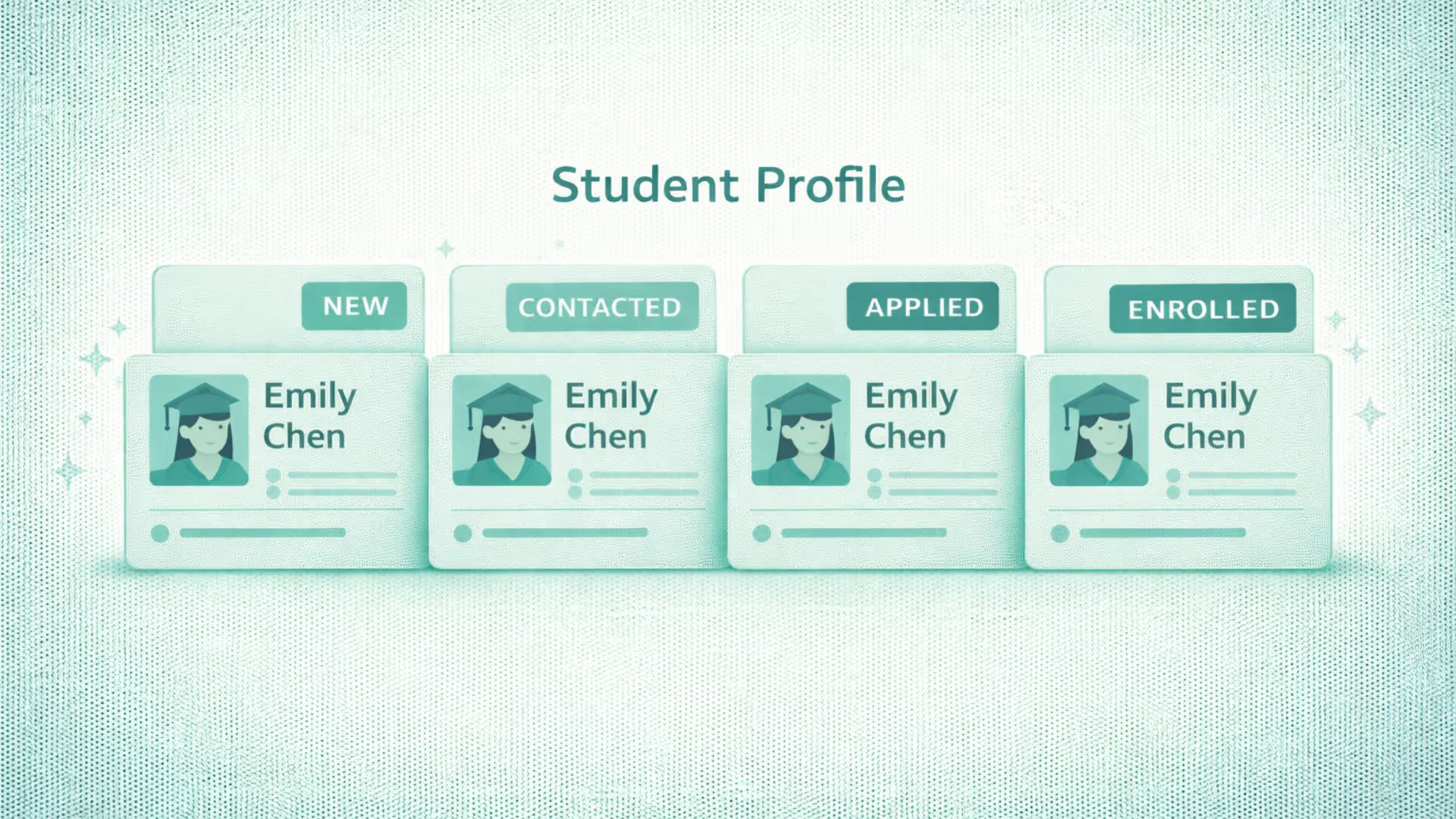
360° Student Profiles
For admissions, the profile can bring together information such as student or parent contact details, program interest, enquiry source, interaction history, application stage, follow-up activity, and other admissions-related information.
For schools, a CRM may need to manage the relationship with the parent or guardian as well as the student. Keeping those contacts connected can make communication more consistent throughout the admissions process.
Analytics & AI
Advanced tools track engagement metrics, application trends, and retention rates to enable data-driven decision-making. With predictive analytics, you can also identify applicants most likely to enrol, allowing you to focus on converting high-potential leads into paying clients.
AI capabilities can also assist with tasks such as analyzing interactions, summarizing conversations, identifying useful follow-up context, or supporting reporting, depending on the CRM's functionality. Any predictive capability should be evaluated based on the data available and the specific implementation.
Customization & Integration
Every institution has different needs and your CRM should be flexible to accommodate it. This means custom fields for specific admissions criteria, or flexible pipeline stages. It should integrate with existing Student Information Systems (SIS), Learning Management Systems (LMS), exam databases and payment gateways.
Integrations matter because an admissions CRM does not necessarily replace every system an institution already uses.
For example, Superleap CRM supports unlimited teams and locations (ideal for multi-branch coaching centers).
It is designed to streamline the student lifecycle by offering features such as student journey mapping, omnichannel nurturing and engagement, lead assignment and distribution combined with automated follow-ups to maximize conversion efficiency.
What can a CRM for admissions be used for?
An admissions CRM can support different workflows depending on the type of educational organization and the complexity of its admissions process.
Schools and K-12 institutions
Manage parent and student enquiries, campus visits, counselor communication, applications, documents, and enrollment follow-ups.
Colleges and universities
Manage higher volumes of enquiries across programs, departments, campuses, intakes, applications, and enrollment stages.
Coaching centers
Track enquiries by course or batch, assign counselors, manage follow-ups, monitor applications, and organize fee-related communication.
EdTech companies
Manage prospective learners across digital channels, nurture enquiries, track course interest, and monitor movement from lead to enrollment.
Training and professional education institutes
Manage course enquiries, counseling, application stages, follow-ups, and enrollment across multiple programs.
Some organizations may fit more than one category. The right CRM should therefore be chosen around the workflow rather than the label of the institution.
What metrics should an admissions team track in a CRM?
The purpose of admissions reporting is not simply to count leads. Teams need to understand what happens between the first enquiry and enrollment.
Lead response time
How long does it take for the institution to respond to a new enquiry?
Contact rate
What proportion of enquiries are successfully reached by the admissions team?
Inquiry-to-application rate
How many enquiries eventually become applications?
Application-to-enrollment rate
How many applications result in confirmed enrollment?
Lead-to-enrollment conversion
How many enquiries ultimately become enrolled students?
Enrollment by source
Which channels generate the most enrollments rather than simply the most enquiries?
Counselor performance
How many enquiries are assigned, contacted, followed up, and converted by each counselor or team?
Pending application volume
How many applications are currently waiting for documents, interviews, tests, decisions, or other actions?
Looking at these metrics together gives admissions teams a clearer view of where students are dropping out of the funnel and where additional attention may be needed.
Why peak admission season changes CRM requirements
Admissions processes can become significantly more demanding during peak periods. An institution that comfortably handles a smaller number of daily enquiries may face a very different operational workload during a major admission window.
Before choosing an admissions CRM, test how it handles higher enquiry volumes, counselor assignment, automated communication, application tracking, reporting, and follow-up during a realistic peak-season scenario.
A CRM that looks manageable during a quiet period may become difficult to use if workflows are too manual or if important information is difficult to surface when the team is under pressure.
How much does admissions CRM software cost?
Admissions CRM pricing can vary depending on the number of users, volume of leads or contacts, features, communication requirements, integrations, implementation, and support.
Common pricing approaches can include:
- Per-user pricing
- Per-contact or lead-volume pricing
- Organization-wide pricing
- Module or feature-based pricing
- Custom pricing for larger implementations
Subscription price is only one part of the cost. Institutions should also consider data migration, setup, integrations, training, communication charges, support, and any additional modules required.
How to implement an Admissions CRM
Choosing a CRM is only part of the process. Implementation determines whether the system actually reflects how the admissions team works.
1. Map the current process
Document how enquiries arrive, who receives them, how they are qualified, how counseling happens, what application stages exist, and what happens after enrollment.
2. Clean existing data
Before migrating existing records, identify duplicates, outdated contacts, inconsistent fields, and information that no longer needs to be retained.
3. Define fields and stages
Decide what information counselors must capture and which stages an enquiry or application should move through.
4. Configure assignment and follow-ups
Set rules for lead ownership, reminders, pending actions, and other repetitive workflows.
5. Connect existing systems
Integrate the CRM with the systems that need to exchange information rather than recreating the same data manually in multiple places.
6. Train the admissions team
Training should focus on everyday workflows: creating records, updating stages, following up, logging interactions, and finding information quickly.
7. Monitor adoption
After launch, look at whether records are being updated consistently and whether the CRM is actually improving visibility into the admissions funnel.
Conclusion
A CRM is a huge investment that empowers educational institutions to boost conversion rates, reduce costs & time, increase employee productivity, and enhance student experience.



.avif)
%201%20(1).svg)
.svg)
.svg)
.svg)
.svg)